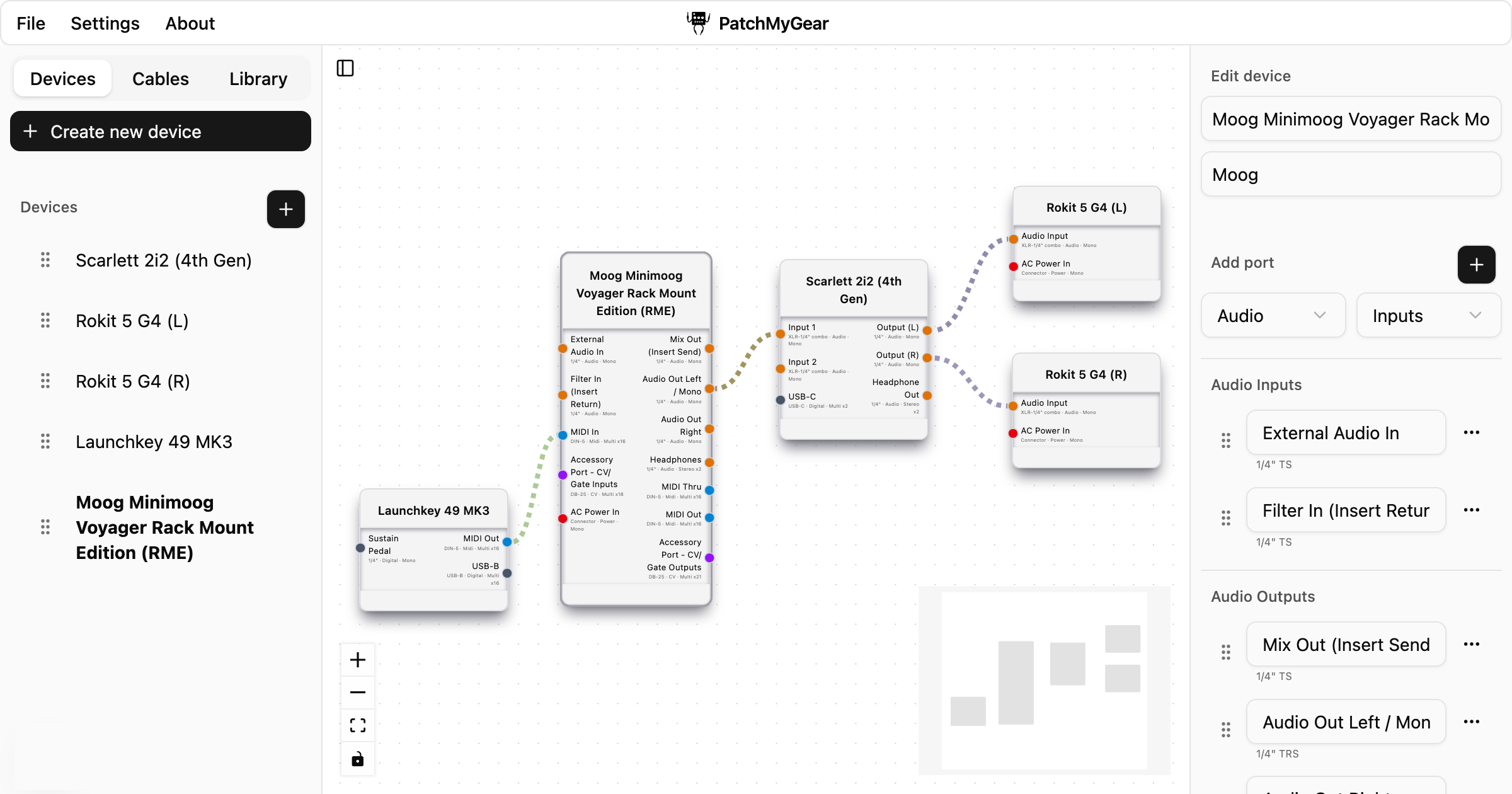
PatchMyGear is a powerful digital tool designed to help audio professionals and enthusiasts plan, visualize, and document their studio signal flows. Whether you're setting up a home studio, podcast setup, or professional control room, PatchMyGear offers an intuitive platform to manage your audio gear connections with precision. From interfaces and mixers to synths, controllers, and outboard processors, the software enables users to map I/O, label connections, and generate detailed cable lists and wiring checklists.
The platform focuses on simplifying the often complex process of signal routing by offering a visual approach to planning. With features such as cable-aware routing, connection color modes, and cable animation, users can easily understand and manage their studio's layout. PatchMyGear also supports saving and loading projects locally without requiring any sign-up, making it a convenient and accessible solution for all types of audio setups.
PatchMyGear allows users to start by dragging and dropping audio devices onto a virtual canvas. This includes interfaces, synthesizers, mixers, and more. Once placed, users can connect them using visual cables, label each connection, and define signal types. The software automatically generates a detailed cable list and wiring checklist based on these connections.
Users can toggle between different connection color modes—such as by device, signal type, or balanced audio path—to better understand the flow of signals. Additionally, the cable animation feature helps in tracing live signal paths, which is particularly useful during troubleshooting or when setting up complex configurations.
| Benefit | Description |
|---|---|
| Organization | Keeps your studio setup and troubleshooting organized with clear documentation |
| Time-saving | Reduces time spent on manual planning and re-cabling |
| Scalability | Suitable for small bedroom studios to large professional control rooms |
| Ease of Use | Intuitive interface with no sign-up required |
| Customization | Supports custom connectors and ports for unique setups |
Whether you are a beginner or a seasoned audio engineer, PatchMyGear provides a streamlined way to manage your studio’s signal routing and cabling needs.