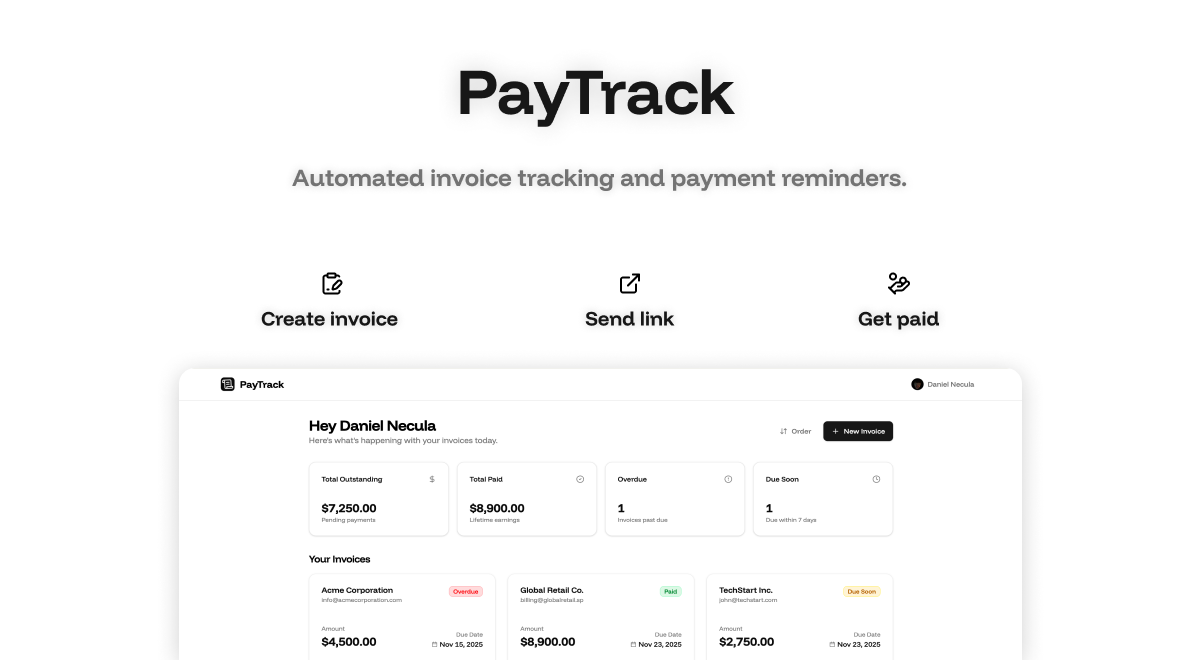
PayTrack is a powerful tool designed for freelancers and small businesses who want to streamline their invoicing and payment processes. Instead of spending time chasing clients for payments, PayTrack automatically sends friendly reminders at the right times—before, on, and after the due date. This helps users maintain better cash flow and reduce the stress associated with manual follow-ups.
The platform includes an invoice dashboard, a client portal, and integration with Stripe, making it easy to manage invoices, track payments, and provide clients with a professional interface. Whether you're just starting out or looking to scale your business, PayTrack offers a simple and intuitive way to handle your billing needs without the hassle.
PayTrack works by tracking your invoices and automating the reminder process. Once you set up your invoices, the system handles sending reminders based on the schedule you choose. You can also access a dashboard that gives you a clear view of your financial status, helping you stay on top of your revenue.
Clients are provided with a secure portal where they can view their invoices, download PDFs, and check their payment history. This reduces the need for back-and-forth communication and ensures that everyone has access to the information they need.
| Benefit | Description |
|---|---|
| Time Savings | Automates the payment reminder process, saving hours of manual follow-up. |
| Improved Cash Flow | Helps ensure timely payments through structured reminder schedules. |
| Professional Client Interaction | Offers a clean, organized interface for clients to manage their invoices. |
| Scalability | Supports growing businesses with unlimited invoices and advanced features in the Pro plan. |
| Ease of Use | Simple setup and intuitive design make it accessible for all users. |
| Plan | Price | Features |
|---|---|---|
| Free | $0/month | Track up to 5 active invoices, invoice dashboard, shareable links, manual mark-as-paid |
| Pro | $29/month (or $24/year) | Unlimited invoices, smart reminders, client portal, Stripe integration, automated email delivery |