Logo
登录
Logo

最专注于开发者的语音AI平台

ISO 27001
ISO 27001
SOC 2
SOC 2
SSL/TLS
SSL/TLS
APPI
APPI
产品
  • 实时语音识别
  • 录音文件转写
  • 语音合成
  • 发音评测
  • DolphinTeams 双屏机
  • Tralingo AI翻译机
  • NihongoScore
资源
  • 文档
  • 博客
  • AI 应用
  • 在线体验
公司
  • 关于我们
  • 联系我们
  • 客户
法律
  • 隐私政策
  • 服务条款
  • 服务级别协议(SLA)
  • 基于特定商业交易法的标注
  • DolphinTeams 使用手册
© 2026 DolphinVoice All Rights Reserved.
产品ScreenSense
ScreenSense

ScreenSense

Open Source Loom Alternative

1 点赞访问网站
ScreenSense Screenshot
ScreenSense Preview
访问网站

Introduction to ScreenSense

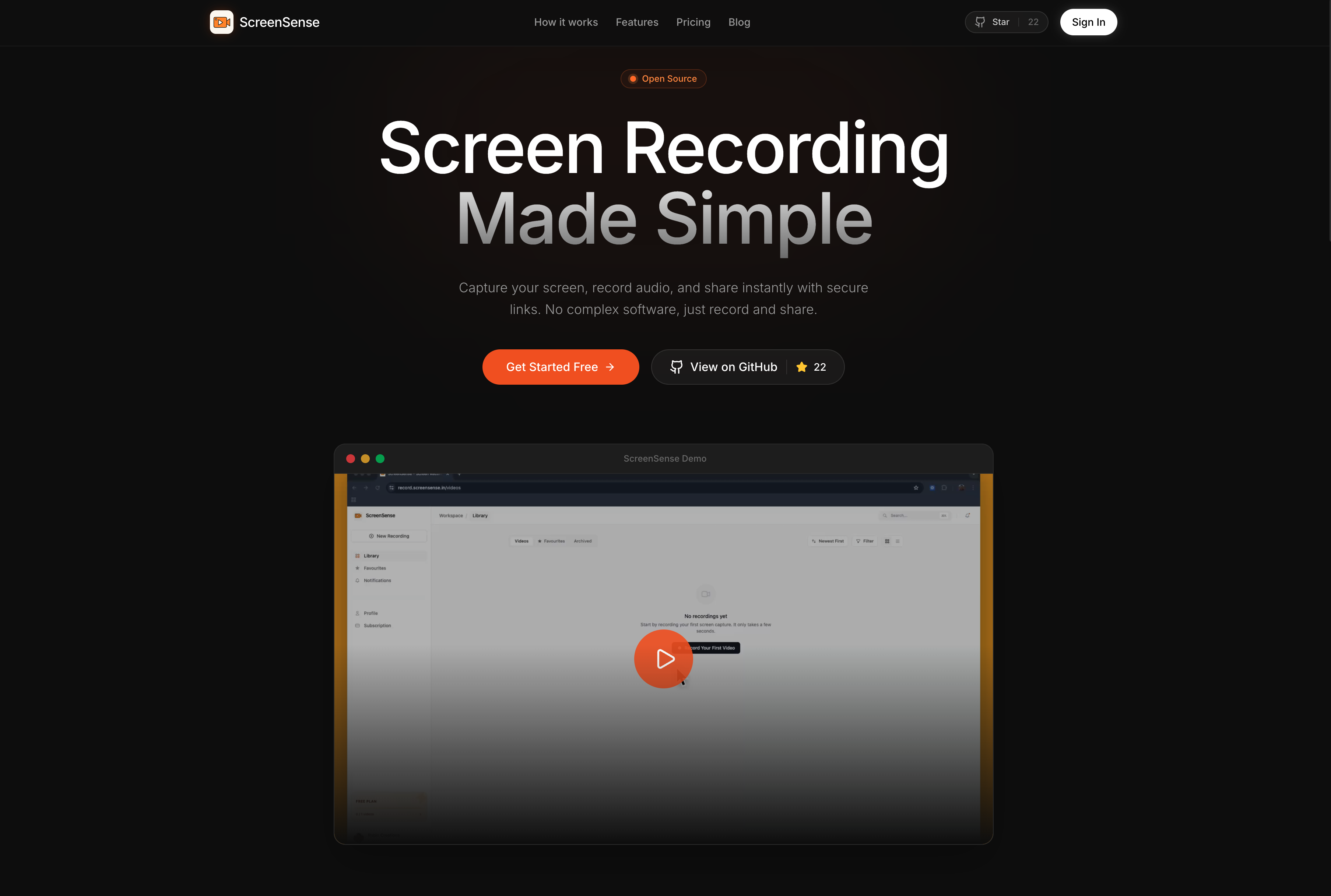
ScreenSense is an open-source screen recording tool designed as the best alternative to Loom. It allows users to record their screens with audio and share the recordings instantly, all without requiring an account. The platform emphasizes simplicity, speed, and clarity, making it ideal for developers, founders, and small teams who need a reliable and flexible solution for creating and sharing video content.

Built with a focus on user experience, ScreenSense offers a streamlined workflow that enables quick capture, instant sharing, and high-quality output. Its open-source nature encourages community contributions and ensures transparency in development. Whether you're creating tutorials, demo videos, or communicating with your team, ScreenSense provides a powerful yet accessible tool for modern workflows.

Takeaways

  • Open source and free to use
  • No account required
  • Instant sharing of recordings
  • Supports screen and audio capture
  • Offers both free and paid plans
  • Designed for developers and small teams
  • High-resolution recording options (720p, 1080p, 4K)
  • Browser extension coming soon

How ScreenSense Works

ScreenSense follows a simple three-step workflow:

  1. Capture – Users can select a window or region to record. The recording starts immediately without any setup or delay.
  2. Share – Once recorded, a secure link is generated instantly. This link can be shared directly in platforms like Slack, Notion, or Linear without waiting for upload completion.
  3. View – Recipients can view the video using the provided link, which includes token-based access for security and privacy.

Core Benefits and Applications

FeatureDescription
Open SourceFully transparent and modifiable by the community
No Account RequiredAccessible to anyone without registration
Instant SharingSecure links generated immediately after recording
High QualitySupports up to 4K resolution for clear visuals
Flexible PlansFree tier for testing, Pro plans for unlimited use
Browser ExtensionComing soon for easy Chrome integration

ScreenSense is ideal for:

  • Developers creating documentation or demos
  • Founders sharing product updates or pitches
  • Small teams collaborating on projects
  • Educators producing tutorial content
  • Content creators looking for a lightweight recording solution

标签

#open source#screen recorder#loom alternative#video sharing#developer tools#free software#instant sharing#high quality recording#browser extension#team collaboration

精品推荐

Guideflow

Guideflow

The AI demo automation platform for SaaS

1259
CyberCut AI

CyberCut AI

AI video studio for viral social clips

706
Incredible

Incredible

Deep Work AI Agents - powered by Agent MAX

653
Typeless

Typeless

AI voice dictation that's actually intelligent

625

在 AI Apps 上免费展示您的应用

加入我们的创新者社区,让您的 AI 工具触达成千上万的每日用户。

申请展示
DolphinVoice Console

BlogPage.PromoContent.title

BlogPage.PromoContent.description

BlogPage.PromoContent.cta