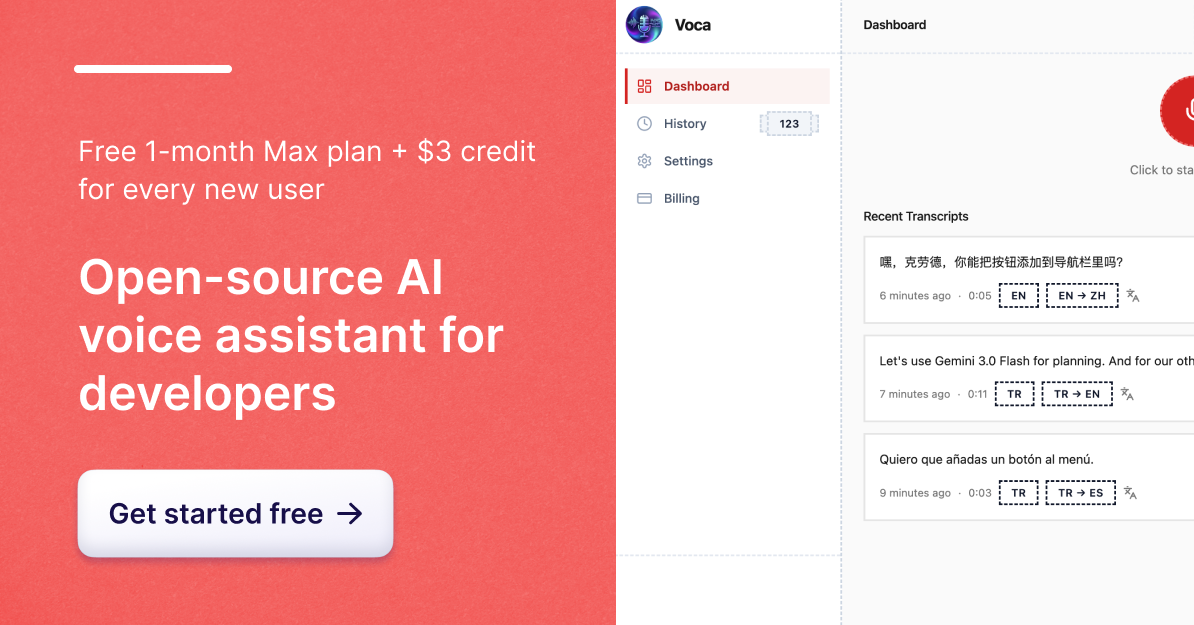
Voca is an AI-powered voice-to-text application designed specifically for developers. Built by Emircan, Voca addresses the common shortcomings of existing voice-to-text tools—namely, their inability to understand technical context and their high pricing. As a developer, saying 'navbar' or 'React' should not result in garbled text. Voca leverages Gemini 2.0 Flash to correct technical terms in real-time, ensuring that your workflow remains uninterrupted.
The product offers a seamless experience where users can press a shortcut, speak, and have the AI-corrected transcript automatically pasted wherever their cursor was. This eliminates the need for switching applications or performing extra steps. Voca also supports translation into over 100 languages, maintains a developer tone to keep technical terms in English, and includes add-ons like numeric conversion and planning mode to turn dictated steps into clean lists.
Voca is open-source under the MIT license, ensuring transparency and user control. Audio processing is done locally using the user's own API keys, with no data collection or third-party storage of recordings. It is available for both macOS and Windows, and free credits are included to encourage users to try it out.
Voca operates through a simple three-step process:
Users can choose between two speech-to-text engines (Deepgram Nova-3 and Groq Whisper) and customize settings such as tone and language. The app handles the entire transcription, correction, and translation pipeline on your desktop, making it a powerful tool for developers and anyone who needs accurate, context-aware voice-to-text functionality.
| Feature | Description |
|---|---|
| AI Correction | Corrects mispronunciations and grammar mistakes in real-time |
| Developer Mode | Keeps technical terms in English, improving accuracy for coding and technical writing |
| Translation | Translates transcripts into 100+ languages with tone control |
| Add-ons | Includes numeric conversion and planning mode for structured output |
| Privacy | Fully open-source with no data collection or third-party servers |
| Affordability | Plans start at $3/month with included credits |
Voca is ideal for developers, technical writers, and anyone who needs accurate, efficient voice-to-text solutions without compromising on quality or privacy.