

Logo
Log In
Logo

The Voice AI Platform Most Focused on Developers

ISO 27001
ISO 27001
SOC 2
SOC 2
SSL/TLS
SSL/TLS
APPI
APPI
Products
  • Streaming Speech-to-Text
  • Pre-recorded Speech-to-Text
  • Text-to-Speech
  • Pronunciation Assessment
  • DolphinTeams Dual-Screen Terminal
  • Tralingo AI Translator
  • NihongoScore
Resources
  • Docs
  • Blog
  • AI Apps
  • API Playground
Company
  • About
  • Contact
  • Customers
Legal
  • Privacy Policy
  • Terms of Service
  • Service Level Agreement (SLA)
  • Notations based on SCTA
  • DolphinTeams User Manual
© 2026 DolphinVoice All Rights Reserved.
ProductsCanvAi
CanvAi

CanvAi

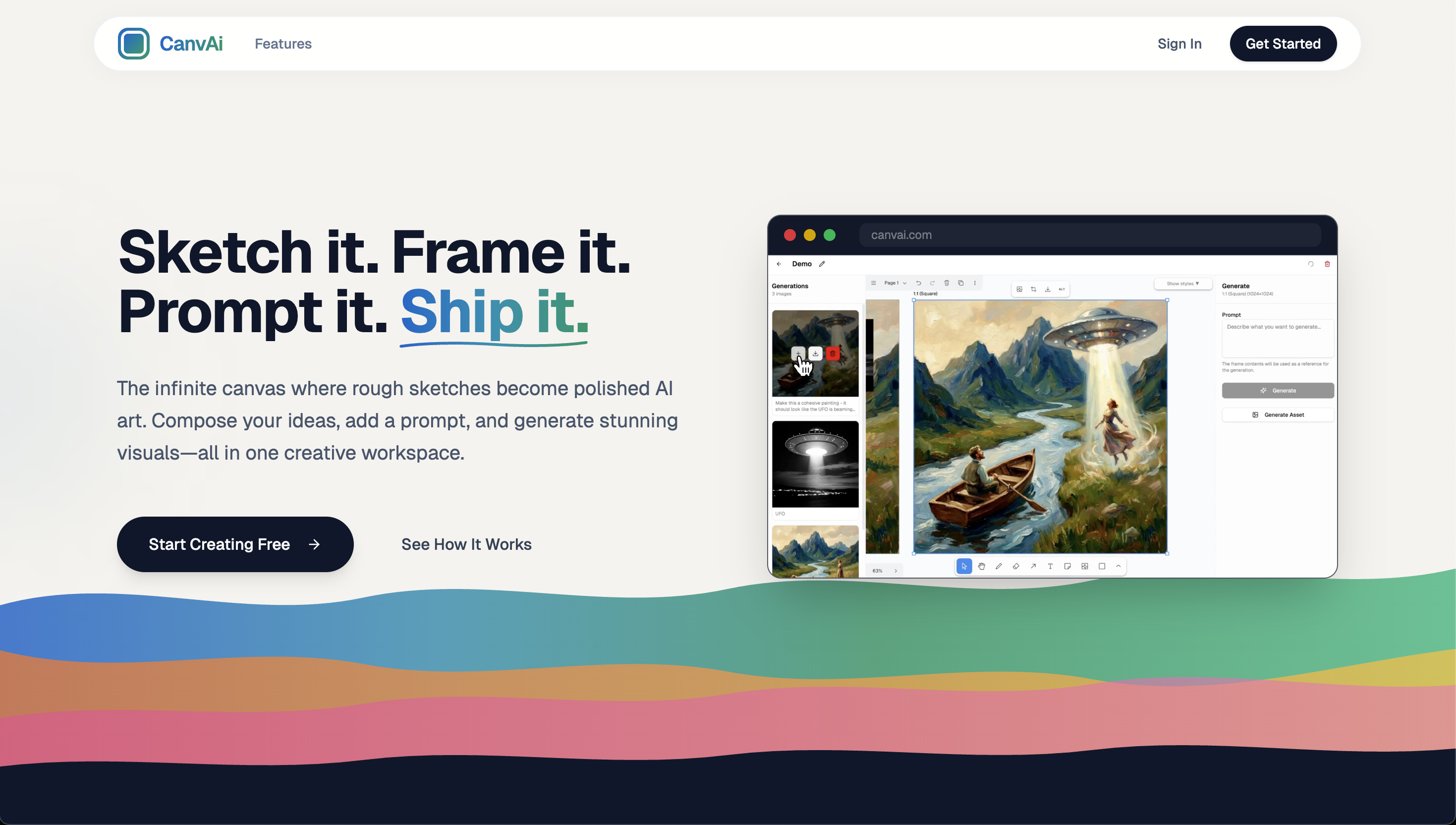
Draw, compose, and generate AI art on an infinite canvas

198 VotesVisit Website
CanvAi Screenshot
CanvAi Preview
Visit Website

Introduction to CanvAi

CanvAi is a creative workspace designed to turn rough sketches into polished AI art. It offers an infinite canvas that allows users to experiment freely, compose their ideas, and generate stunning visuals with the help of advanced AI models. Whether you're an artist, designer, or content creator, CanvAi provides a streamlined environment where you can draw, frame, and prompt your way to professional-quality artwork.

The platform combines the flexibility of a digital canvas with the power of generative AI, eliminating the need for complex workflows. Users can start by sketching their ideas, adding shapes and assets, and then using frames to transform them into final pieces. With features like Nano Banana Pro, asset generation, and style presets, CanvAi makes it easy to create and export high-resolution images for various applications.

Takeaways

  • Infinite canvas for limitless creativity
  • Easy drawing and composition tools
  • Integration with powerful AI models (Nano Banana Pro)
  • Asset generation for reuse across projects
  • Export options for social media, print, and more
  • One-click style transformations (Cinematic, Anime, Oil Painting, etc.)

How CanvAi Works

CanvAi operates through a simple, intuitive workflow:

  1. Sketch: Start with a rough idea on the infinite canvas.
  2. Frame: Organize your elements into frames for AI processing.
  3. Prompt: Add text prompts to guide the AI transformation.
  4. Generate: Use Nano Banana Pro to convert frames into polished images.
  5. Export: Download high-resolution outputs for use in any project.

This process enables users to iterate quickly and explore multiple artistic directions without leaving the platform.

Core Benefits and Applications

BenefitDescription
Creative FreedomInfinite canvas allows unrestricted experimentation and layout.
Time EfficiencyAI-powered transformation reduces manual editing time.
ReusabilityGenerated assets can be reused across different compositions.
VersatilitySuitable for concept art, illustrations, game design, and more.
Style FlexibilityApply pre-defined styles with one click to change the look of your work.

Tags

#AI art generator#digital canvas#creative software#generative AI#art creation tool#design software#image generation#concept art#nanobananapro#infinite canvas

Featured

Guideflow

Guideflow

The AI demo automation platform for SaaS

1259
CyberCut AI

CyberCut AI

AI video studio for viral social clips

706
Incredible

Incredible

Deep Work AI Agents - powered by Agent MAX

653
Typeless

Typeless

AI voice dictation that's actually intelligent

625

Showcase your app on AI Apps for free

Join our community of innovators and get your AI tool in front of thousands of daily users.

Get Featured
DolphinVoice Console

BlogPage.PromoContent.title

BlogPage.PromoContent.description

BlogPage.PromoContent.cta

