
Logo
Log In
Logo

The Voice AI Platform Most Focused on Developers

ISO 27001
ISO 27001
SOC 2
SOC 2
SSL/TLS
SSL/TLS
APPI
APPI
Products
  • Streaming Speech-to-Text
  • Pre-recorded Speech-to-Text
  • Text-to-Speech
  • Pronunciation Assessment
  • DolphinTeams Dual-Screen Terminal
  • Tralingo AI Translator
  • NihongoScore
Resources
  • Docs
  • Blog
  • AI Apps
  • API Playground
Company
  • About
  • Contact
  • Customers
Legal
  • Privacy Policy
  • Terms of Service
  • Service Level Agreement (SLA)
  • Notations based on SCTA
  • DolphinTeams User Manual
© 2026 DolphinVoice All Rights Reserved.
ProductsDocuNero
DocuNero

DocuNero

AI-powered invoice & receipt OCR for finance teams

2 VotesVisit Website
DocuNero Screenshot
DocuNero Preview
Visit Website

Introduction to DocuNero

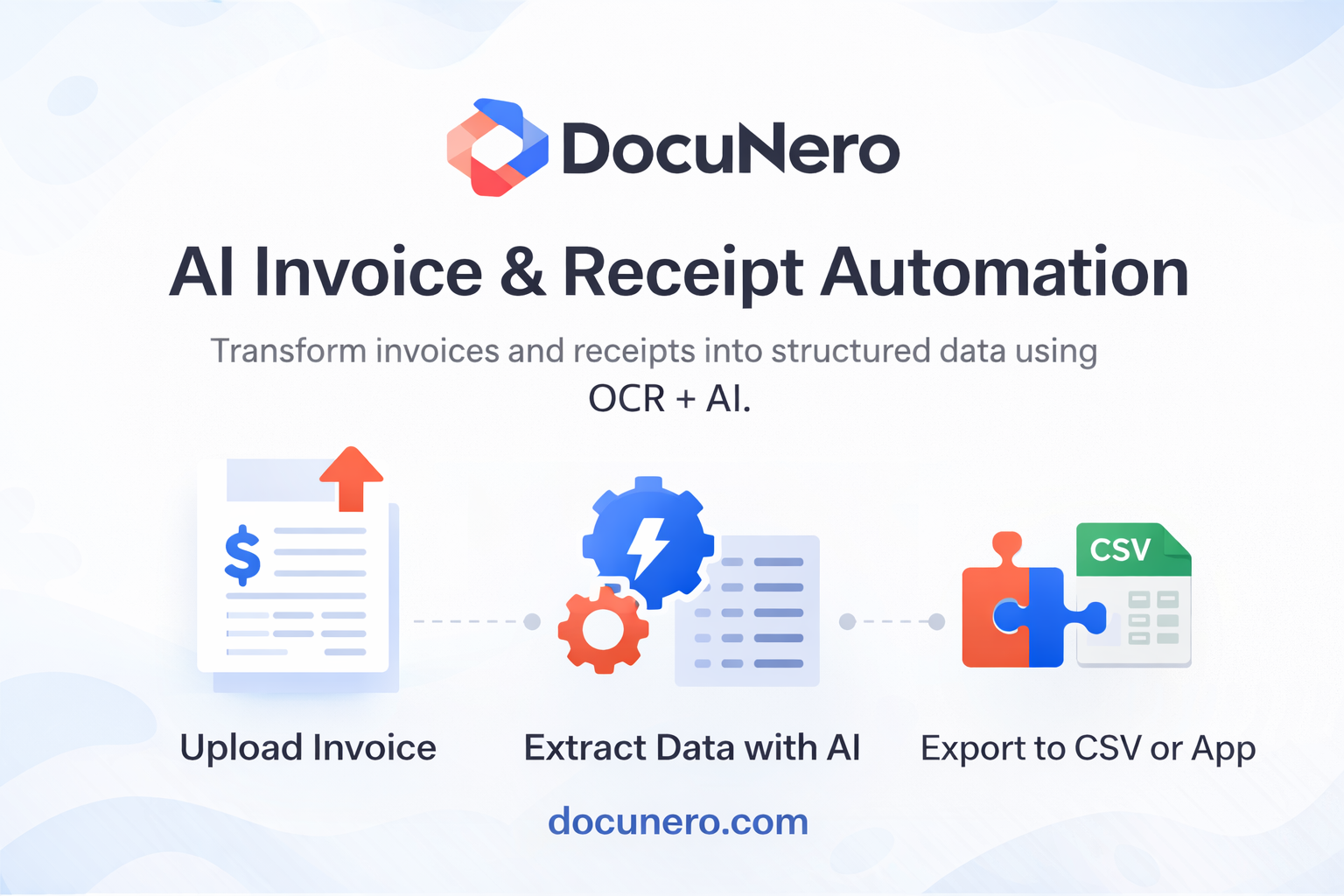
DocuNero is an AI-powered document processing software designed to help businesses automate the extraction and management of invoice and receipt data. Using intelligent OCR technology, it transforms unstructured documents such as PDFs and scanned files into clean, structured data in seconds. This makes it an essential tool for finance and operations teams looking to reduce manual data entry, improve accuracy, and scale efficiently as their document volumes grow.

The platform offers a comprehensive set of features, including AI-driven OCR, smart categorization, approval workflows, notifications, secure cloud storage, and seamless export options. It is built with the needs of financial professionals in mind, providing tools that streamline document processing from upload to export. With a focus on speed, accuracy, and ease of use, DocuNero helps organizations save time and reduce errors in their financial workflows.

Takeaways

  • AI-powered OCR for accurate data extraction from invoices and receipts
  • Smart categorization and tagging for easy document organization
  • Customizable approval workflows for team collaboration
  • Real-time notifications and activity tracking
  • Secure cloud storage with enterprise-grade security
  • Export to Excel (xlsx), CSV, PDF, or JSON formats
  • No setup required — fully cloud-based platform

How DocuNero Works

DocuNero simplifies the document processing workflow with a four-step approach:

  1. Upload Documents – Users can drag and drop invoices or receipts in various formats such as PDF, JPG, or PNG.
  2. AI Processing – The system extracts key information such as vendors, totals, and line items using AI-driven OCR.
  3. Review & Approve – Users can filter, validate, approve, or reject documents through a simple workflow (available on Pro/Teams plans only).
  4. Export & Analyze – Processed data can be downloaded in multiple formats, including Excel (xlsx), CSV, PDF, or JSON, for further analysis and reporting.

Core Benefits and Applications

FeatureBenefit
AI-Powered OCRReduces manual data entry and improves accuracy
Smart CategorizationEnhances document organization and searchability
Approval WorkflowsStreamlines team collaboration and validation
Secure Cloud StorageEnsures compliance and data protection
Export OptionsEnables integration with accounting software and data analysis
No Setup RequiredSimplifies onboarding and immediate usage

DocuNero is ideal for a wide range of users, including freelancers, accountants, small businesses, and finance teams who need to manage large volumes of financial documents efficiently.

Tags

#AI OCR#Invoice Automation#Receipt Processing#Financial Data Extraction#Document Management System#Cloud-Based Solution#Accounting Software Integration#Data Accuracy#Business Efficiency#Financial Compliance

Featured

Guideflow

Guideflow

The AI demo automation platform for SaaS

1259
CyberCut AI

CyberCut AI

AI video studio for viral social clips

706
Incredible

Incredible

Deep Work AI Agents - powered by Agent MAX

653
Typeless

Typeless

AI voice dictation that's actually intelligent

625

Showcase your app on AI Apps for free

Join our community of innovators and get your AI tool in front of thousands of daily users.

Get Featured
DolphinVoice Console

BlogPage.PromoContent.title

BlogPage.PromoContent.description

BlogPage.PromoContent.cta

