
Introduction to Murmur – Offline Speech to Text
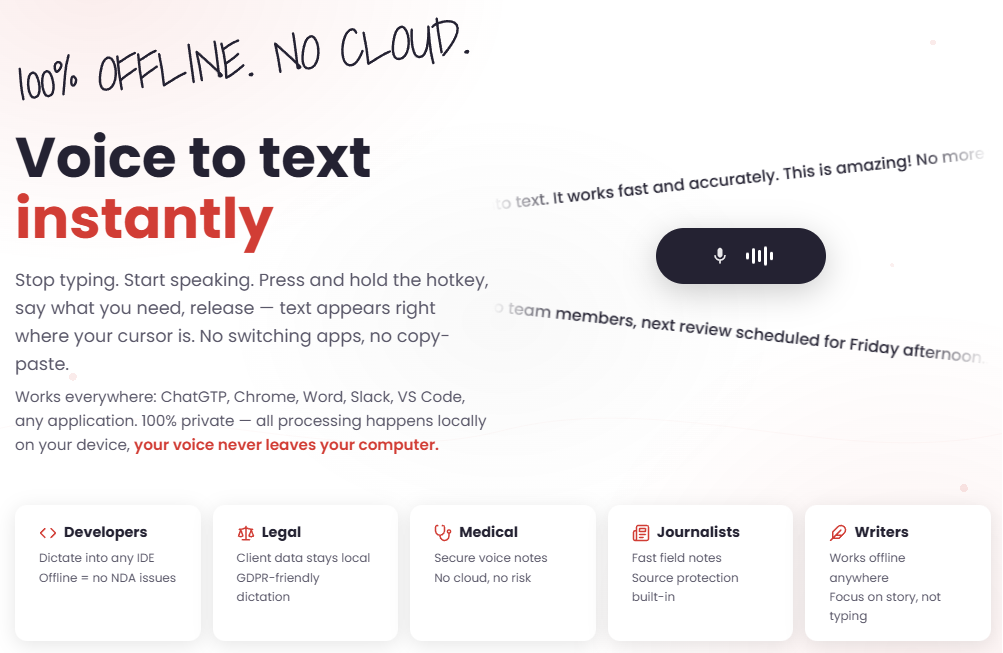
Murmur is an offline speech-to-text and voice dictation app for Windows that allows users to transcribe their voice into text instantly using Whisper AI. This application is designed to be fully offline, private, and fast, ensuring that no internet connection or cloud processing is required. It works in any application, making it a powerful tool for anyone who wants to avoid typing and focus on content creation.
The app leverages the industry-leading OpenAI Whisper technology with over 95% accuracy, offering support for 90+ languages with automatic language detection. With its global hotkey feature, users can press and hold a key combination, speak, and release the key to have the text appear directly at their cursor position. All processing happens locally on the user's device, ensuring complete privacy and security of the user's data.
Takeaways
- Fully offline and private — no internet or cloud processing required
- Powered by OpenAI Whisper with 95%+ accuracy
- Works in any application — chat, email, document editing, IDEs, etc.
- GPU-accelerated transcription for instant results
- Supports 90+ languages with automatic detection
- Global hotkey for seamless voice-to-text input
- 100% local processing — your voice never leaves your computer
How Murmur Works
- Place your cursor where you want the text to appear
- Press and hold
Ctrl+Win+Altand speak - Release the key combination to have the text appear at the cursor position
Tip: Use Ctrl + Win + Shift to copy the last transcription to the clipboard.
Core Benefits and Applications
| Use Case | Benefit |
|---|---|
| Writers | Focus on storytelling without the distraction of typing |
| Journalists | Quickly take field notes while maintaining source protection |
| Developers | Dictate code directly into any IDE without switching apps |
| Medical | Securely record voice notes without risking patient data exposure |
| Students | Transcribe lectures or study notes efficiently |
| Professionals | Improve productivity by reducing time spent on manual typing |
Featured




Showcase your app on AI Apps for free
Join our community of innovators and get your AI tool in front of thousands of daily users.
Get Featured