

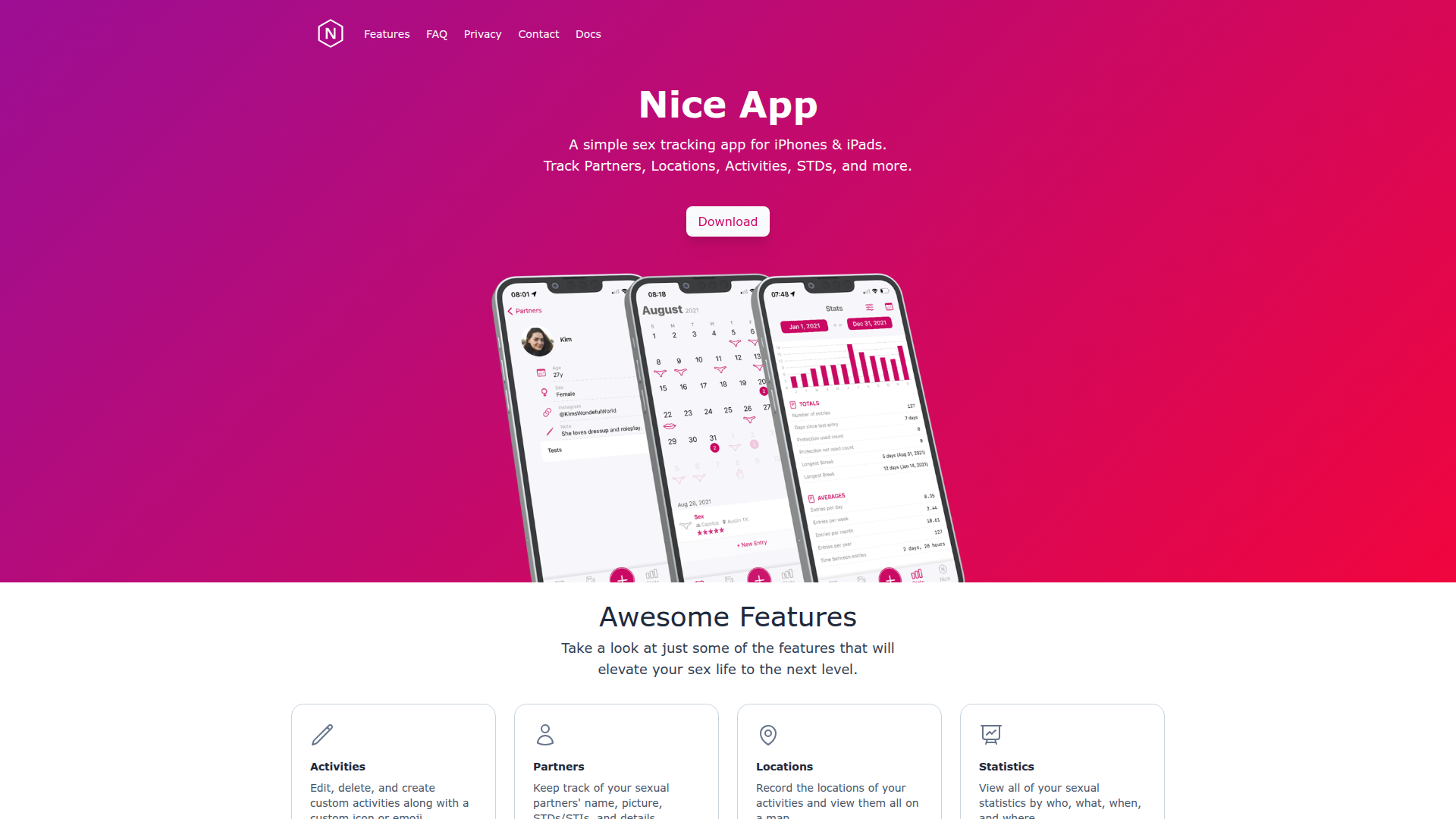
Introduction to Nice
Nice is a privacy-focused sex tracking application designed for iPhones and iPads. It allows users to track their sexual activities, partners, moods, and moments in a secure and private environment. The app emphasizes user control over data, ensuring that all information remains encrypted on the device and never stored on external servers. This makes it ideal for individuals, couples, and anyone looking to better understand their intimate life without compromising their privacy.
With features such as custom activity tracking, partner details, location mapping, and detailed statistics, Nice provides a comprehensive view of one's sexual health and experiences. It also offers seamless syncing with iCloud for couples or individuals who want to share their data securely. Unlike other similar apps, Nice does not require account creation, collects no personal data, and prioritizes user confidentiality at every level.
Takeaways
- Track partners, locations, activities, and more
- Keep your data private and encrypted on your device
- Sync with iCloud for shared access or keep it personal
- Customizable activities with icons or emojis
- View detailed statistics by time, partner, and location
- Lock the app with passcode, Touch ID, or Face ID
- Integrate with Apple Health Kit (optional)
- Support for pregnancy and STD/STI tracking
- Siri Shortcut integration for quick entry
- Backup and restore functionality
How Nice Works
Nice operates entirely on the user's device, ensuring that all data remains local and secure. Users can log entries by selecting from pre-defined activities or creating custom ones. Each entry includes details such as the date, time, location, partner, and any additional notes. The app uses this data to generate insights and patterns over time, helping users understand their habits and preferences.
For couples, Nice offers the ability to sync data via iCloud, allowing both partners to view and update entries together. However, this feature is optional, and users can choose to keep their data private. All entries are encrypted and cannot be accessed by third parties, including the app developer.
Core Benefits and Applications
| Benefit | Description |
|---|---|
| Privacy | No data is collected, stored, or shared with third parties |
| Security | Data is encrypted and locked with passcode, Touch ID, or Face ID |
| Customization | Users can create custom activities, icons, and notes |
| Insight | Detailed statistics and visualizations help understand patterns |
| Compatibility | Integrates with Apple Health Kit and supports iOS devices |
| Accessibility | Easy to use interface suitable for individuals and couples |
Frequently Asked Questions
Can I suggest a new feature? Yes, users can email the developer with feature requests. However, as a single developer, the response may be limited due to time constraints.
Can Nice sync to Apple Health? Yes, but only entries created within the app can be synced. Previous entries from Apple Health will not appear in Nice.
Why did I lose my data after upgrading my phone? Data is stored locally and must be transferred via iCloud backup or manually exported and imported using the app's backup feature.
How do I create a backup? Go to the 'Backup' section in the app and tap 'Create Backup'. Save the file in a secure location.
How do I restore from a backup? Navigate to 'Backup' and select 'Restore', then choose the backup file you wish to import.
Featured




Showcase your app on AI Apps for free
Join our community of innovators and get your AI tool in front of thousands of daily users.
Get Featured