
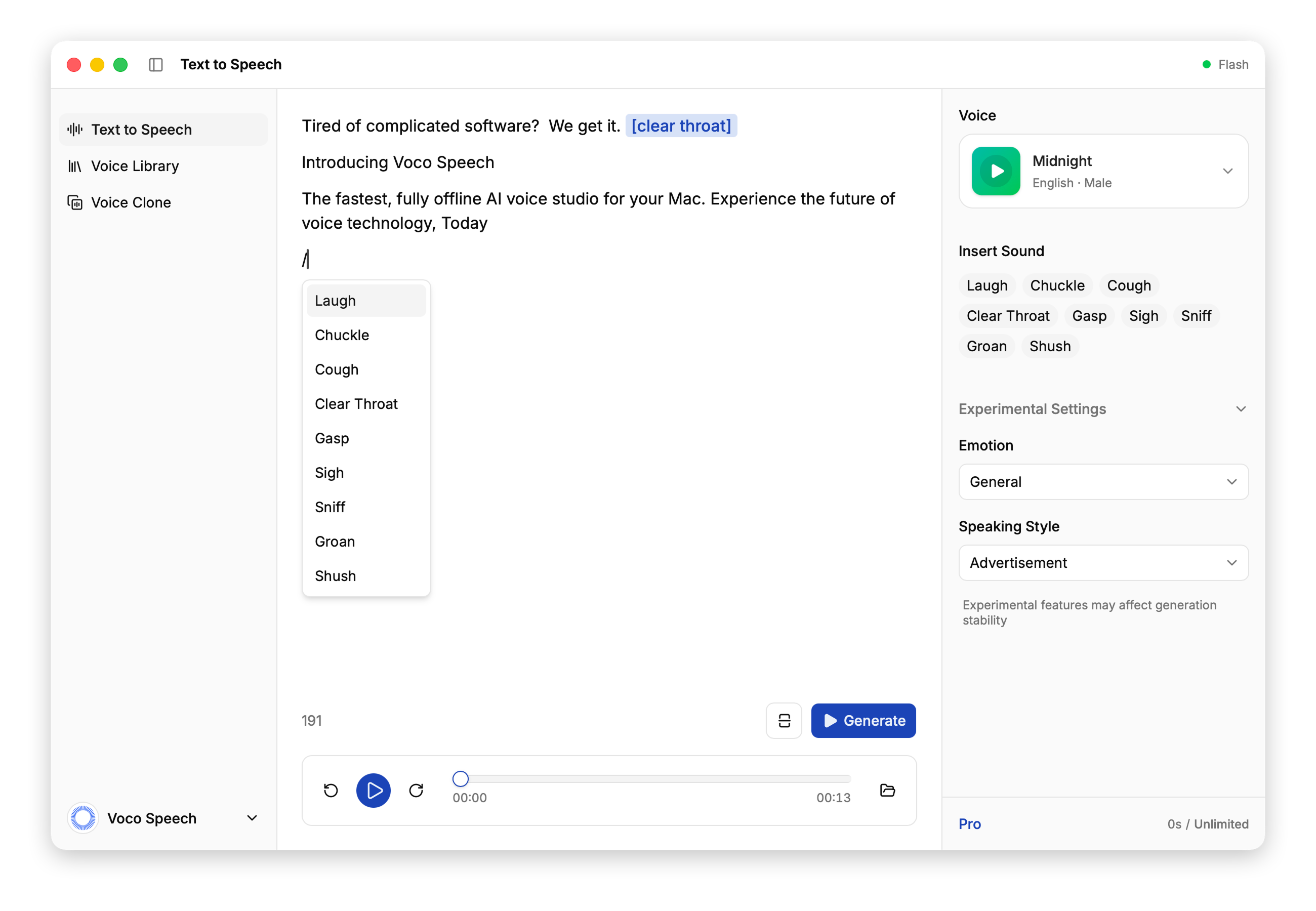
Introduction to Voco Speech
VocoSpeech is a native Mac application designed for AI voice generation and cloning, offering users the ability to create high-quality, natural-sounding voices without any reliance on cloud services. It runs entirely on Apple Silicon, ensuring that all audio data remains private and secure on the user's device. With features like offline generation, unlimited voice cloning, and customizable speaking styles, VocoSpeech caters to both casual creators and professional content producers who require flexibility and control over their AI voice output.
The app is built with a focus on privacy and performance, allowing users to generate text-to-speech content locally, without uploading sensitive audio files. This makes it ideal for individuals and teams working on long-form projects such as podcasts, tutorials, and video scripts. Whether you're using the free version or upgrading to Pro, VocoSpeech provides a powerful and intuitive platform for generating AI voices right from your Mac.
Takeaways
- Unlimited AI voice generation & cloning on Mac
- 100% local processing on Apple Silicon
- Free forever with 5 minutes of monthly generation time
- Pro plan removes generation limits and offers commercial-ready workflows
- Natural, expressive AI voices with customizable controls
- Offline by default, no cloud dependency
- Unlimited voice cloning available on both Free and Pro plans
How Voco Speech Works
VocoSpeech operates entirely on the user's Mac, leveraging Apple Silicon for efficient and secure processing. Users can input text and select from a range of AI-generated voices, adjusting parameters such as emotion, tone, and speaking style. Voice cloning allows users to create custom voices based on recorded audio samples, which are then used to generate new speech content. All processing occurs locally, ensuring that no audio data leaves the user's device.
The app supports both short and long-form content creation, with the Pro version removing generation time limits. This makes it suitable for large-scale production needs while maintaining the same level of quality and customization available in the free version.
Core Benefits and Applications
| Benefit | Description |
|---|---|
| Privacy | All audio data stays on the user's device, no cloud uploads |
| Performance | Optimized for Apple Silicon, fast and efficient |
| Flexibility | Customizable speaking styles, emotions, and sound tags |
| Scalability | Free plan offers 5 minutes/month, Pro removes limits |
| Ease of Use | Intuitive interface for both beginners and professionals |
VocoSpeech is ideal for podcasters, video editors, educators, and anyone needing high-quality, natural-sounding AI voices for creative or commercial use.
Featured




Showcase your app on AI Apps for free
Join our community of innovators and get your AI tool in front of thousands of daily users.
Get Featured