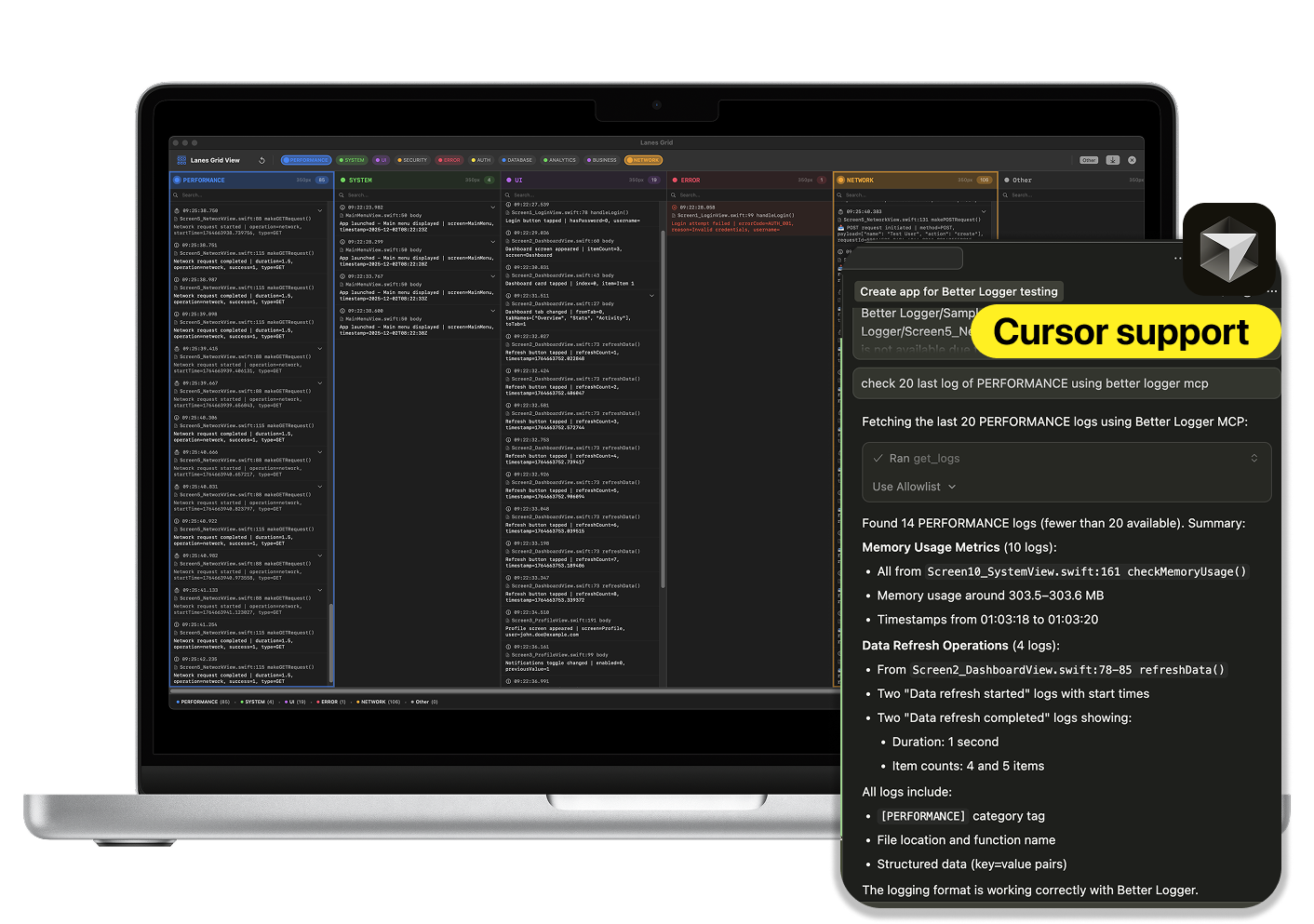
Better Logger is a powerful, modern macOS log viewer built specifically for iOS developers. It allows users to stream logs in real-time from iOS Simulators, organize them into visual lanes, and integrate with AI-powered tools like Cursor through MCP. Designed with the needs of iOS developers in mind, Better Logger offers a streamlined, developer-focused interface that enhances debugging efficiency and improves visibility into app behavior.
The application supports features such as real-time log streaming, lane-based organization, advanced log parsing, and session management. It also includes a memory monitor for real-time performance tracking, making it a comprehensive tool for both development and testing workflows. With its integration capabilities and customizable features, Better Logger helps developers identify and resolve issues quickly, improving overall productivity.
Better Logger operates by connecting to iOS Simulators and capturing logs in real-time. These logs are then automatically organized into color-coded lanes based on their type or source, allowing developers to filter and focus on specific categories. The application provides tools for managing saved sessions, exporting logs, and monitoring system performance. Through MCP integration, developers can access additional AI-powered features and tools, enhancing the debugging experience.
| Benefit | Description |
|---|---|
| Real-Time Debugging | Stream logs instantly while testing apps in simulators. |
| Visual Organization | Use color-coded lanes to separate and manage different types of logs. |
| Performance Monitoring | Track memory and CPU usage to identify potential performance issues. |
| AI Integration | Leverage MCP tools for enhanced log analysis and AI-driven insights. |
| Collaboration & Sharing | Export logs in multiple formats for team collaboration or future reference. |
| Pro Features | Unlock unlimited functionality for professional workflows, including export options and priority support. |