
ASR Transcription Accuracy: Four Factors Behind the Gap Between 80% and 98%
Explore how recording equipment, environment, microphone distance, and speaker behavior affect ASR transcription accuracy, plus Hotwords, Speaker Separation, confidence scores, and offline transcription.
At a glance
- The model is only part of the equation. Mainstream engines can achieve a character error rate (CER) below 5% on public benchmarks, yet real-world transcription accuracy often falls to 80–90%. Audio capture is a major source of that gap.
- Check four sources of distortion: recording equipment, environment, microphone distance, and speaker behavior. The suggested distance is 30–50 cm between a single speaker and the microphone.
- Set expectations by scenario: professional reading, meetings, and customer service calls present very different recording conditions.
- When you cannot control recording, use Hotwords, Speaker Separation, word-level confidence, and offline batch transcription.
- Accuracy depends on the complete system: audio capture, the model, processing, and human review.
Why recording quality matters
Speech Recognition (ASR) is now built into mobile keyboards, meeting recorders, customer service systems, and video captions. On public benchmarks, mainstream engines have reached CER values below 5%. With clean audio, their output can approach the quality of professional transcription.
Business recordings are less forgiving. Names are transcribed incorrectly in customer calls; a Mandarin meeting recording confuses “开户” with “开始”; interviews contain repeated “um” and “you know”; even 30 seconds of silence can produce an invented passage. Audio capture quality determines whether an engine can perform consistently.
In DolphinVoice engineering practice, quiet indoor recordings, close microphone placement, moderate speaking speed, and registered terminology can yield accuracy above 95% with mainstream engines. Air-conditioning noise, distant microphones, overlapping voices, and specialist vocabulary can instead leave accuracy around 80–90%. Recovering the remaining 5–10 percentage points requires attention to recording as well as model selection.
This guide explains why transcription errors occur and how to address them across different recording scenarios.
How audio becomes text
A simplified ASR pipeline has three processing stages:
- Acoustic feature extraction: split the waveform into frames, for example, 25 ms, and extract spectral features or mel-frequency cepstral coefficients (MFCCs).
- Acoustic and language modeling: map acoustic features to phonetic representations, then infer a sequence of words.
- Processing the output: add capitalization, punctuation, Speaker Labels, Hotwords replacement, sensitive-term filtering, and confidence annotations.
The acoustic input limits what the system can hear. Language modeling and subsequent processing determine how well it can resolve ambiguity. Recording quality constrains the first; training data and customization constrain the others.
 Figure 1. Audio input, acoustic processing, language inference, and text output. Recording quality and recognition processing both affect the result.
DolphinVoice combines Hotwords customization, word-level confidence, and Speaker Separation in its engineering workflow. Software cannot undo every physical recording problem, but it can make better use of the available signal.
See the Docs for fields, request formats, and error codes.
Four sources of transcription errors
Recording equipment: start with signal-to-noise ratio
Built-in microphones on laptops, phones, and tablets have limited pickup range, roughly 30 cm to 1 m. Distant participants in a meeting quickly lose signal-to-noise ratio. Built-in microphones also capture electronics and fan noise; their frequency response, often described as 100 Hz–8 kHz, can limit sibilant detail.
External microphones, connected over USB, a 3.5 mm jack, or Bluetooth, can offer better sensitivity and coverage. Frequency response and pickup pattern matter more than the connection type. A cheap omnidirectional USB microphone may capture just as much unwanted room noise as a laptop microphone.
Bluetooth headsets can be limited to an 8 kHz recording path. Sampling Rate constrains the acoustic detail available to the model. For this recording workflow, 16 kHz Wide Band Speech (HD Voice) is treated as sufficient for recognition; a higher rate may not improve accuracy. Lossy Bluetooth codecs such as AAC, SBC, and aptX can also discard detail during transmission.
Dedicated recording equipment should be chosen by checking frequency response, Sampling Rate, and directionality. The suggested patterns are cardioid for one speaker, omnidirectional for a roundtable, and bidirectional for an interview.
 Figure 2. Four recording device categories. Check Sampling Rate, frequency response, and pickup pattern for the intended recording scenario.
Recording environment: identify the noise
For meetings, use a speakerphone with a microphone array. A laptop microphone may have an effective pickup radius below 1 m in a meeting room, leaving distant voices masked by noise. Air conditioners, fans, and projector cooling fans are persistent noise sources; reducing them before recording can help more than changing microphones.
For interviews, record indoors in a quiet location and keep the microphone close. Before the session, make a 30-second test recording and listen for level, clarity, and clipping. Natural speaking speed and clear articulation give the recognizer better input; under favorable conditions, accuracy can approach 100%.
For outdoor recordings, wind is particularly difficult. Use a wind muff or a lavalier microphone close to the speaker. Road noise around 500 Hz–2 kHz overlaps important speech frequencies. For sustained outdoor capture, consider an engine with strong Noise Reduction and Speaker Separation rather than relying only on a more expensive microphone.
 Figure 3. Meetings require attention to reverberation and overlapping speech; interviews to background noise; outdoor recordings to wind.
Microphone distance: a suggested range of 30–50 cm
- Too close, below 20 cm: breath blasts and sibilants can overload the input.
- Too far, beyond 60 cm: voice level falls while the proportion of room noise rises.
- Multiple speakers: place the microphone in the center or use a beamforming speakerphone.
For a single speaker, use 30–50 cm as a starting point. At a roundtable, aim for roughly equal distances between participants and the microphone.
 Figure 4. Greater distance reduces voice level and raises the relative contribution of background noise. The suggested range is 30–50 cm.
Speaker behavior: speed, homophones, overlap, and terminology
Speaking too quickly or at an unsuitable level. More than 250 Chinese characters per minute and levels below −20 dBFS are reference points for possible accuracy problems. A natural pace and volume are preferable. This speed reference concerns Chinese speech; it is not an English words-per-minute threshold.
Homophones and similar-sounding words. The recognizer needs context to disambiguate them, and meeting recordings may not provide enough.
Overlapping speech. When two people speak at once, identifying the speaker and recognizing the words become harder. Encourage turn-taking or use an engine with Speaker Separation.
Specialist vocabulary and proper names. General-purpose models struggle more with names, product codes, and industry terms than with everyday language. Register these terms in advance so the recognizer has useful context.
 Figure 5. Clear speech helps with speed and ambiguity; engine capabilities also matter for overlapping voices and specialist vocabulary.
Accuracy expectations by scenario
Recording conditions produce a clear gradient in transcription difficulty.
| Scenario | Recording conditions | Expected CER | Practical note |
|---|---|---|---|
| Professional reading | One speaker, quiet, close microphone, standard Mandarin | < 1% | Near the model's upper performance limit |
| Clean interview | One speaker, quiet indoors, close microphone, natural pace | 1–3% | Achievable with a general-purpose model |
| Standard meeting | Multiple speakers, meeting room, speakerphone | 3–6% | Enable Speaker Separation and Hotwords |
| Customer service call | Multiple speakers, customer-side noise, specialist terms | 5–10% | Use Hotwords customization and output filtering |
| Outdoor interview | Multiple speakers, wind, distant recording | 10–20% | Physical signal degradation limits improvement |
These ranges reflect the engineering observations and public literature used for these reference ranges. Playground provides audio examples and comparisons between DolphinVoice and mainstream engines on public datasets.
Addressing equipment, environment, distance, and speaker behavior can move a clean recording from 80% toward 98% accuracy. If those conditions remain poor, changing the model alone may leave accuracy at 80–90%.
When recording is outside your control
Sometimes recordings come from a customer, field team, or partner, and the audio is already fixed. DolphinVoice offers four ways to improve the downstream workflow.
Hotwords customization
Names, product codes, industry vocabulary, and SOP identifiers are difficult for a general-purpose model. DolphinVoice supports updating the Hotwords list through the management console or API within minutes, without retraining.
Speaker Separation
The system assigns labels such as “Speaker 1” and “Speaker 2” and arranges utterances on a timeline. Even when overlapping words cannot all be recognized, speaker attribution helps reconstruct who said what in Meeting Minutes.
Word-level confidence
A transcript is structured data as well as text. DolphinVoice provides sentence- and word-level confidence scores from 0 to 1. Applications can use those scores to trigger human review, validate important fields, or request another listen.
Offline batch transcription
Bulk meeting ingestion, next-day call quality checks, and recording archives prioritize accuracy and stability over immediate output. Offline processing can use the complete audio signal. Reference figures are CER 1–3 percentage points lower than the same engine's real-time version, CPU inference support, and single-machine capacity of 3,000 audio hours per month.
The 3,000-hour figure describes machine capacity rather than a plan allowance. Actual pricing depends on concurrency and deployment; see Pricing.
 Figure 6. Processing options for teams that cannot control the original recording conditions.
ASR Transcription Accuracy: Four Factors Behind the Gap Between 80% and 98%
Sign in to obtain a trial Token and try the API. Initial integration is estimated at around five minutes.
Frequently asked questions
What counts as good Speech Recognition accuracy?
It depends on the audio. For quiet indoor recordings with close microphones and standard pronunciation, a reference CER is of 1–3%, corresponding to accuracy above 97%. For noisy calls, meetings, or outdoor interviews, a reference range is 5–15% CER. Classify your audio before judging the engine against clean-recording expectations.
Why is my recording transcribed so poorly?
Four common causes are excessive microphone distance, persistent background noise, overlapping speech, and unfamiliar specialist terms. Adjust recording practices and configure Hotwords before assuming that a different engine is necessary.
How far should the microphone be from the speaker?
The suggested range is 30–50 cm for one speaker. Below 20 cm, breath blasts and sibilants can overload the input; beyond 60 cm, voice level drops relative to noise. For meetings, place the microphone centrally and keep participants at comparable distances.
How can I improve meeting transcripts?
Use a microphone-array speakerphone, reduce persistent noise such as air-conditioning and fans, and enable Speaker Separation to improve speaker attribution when voices overlap.
What if names and specialist terms keep being misrecognized?
Register frequently used terminology, names, product codes, and process identifiers through Hotwords customization. DolphinVoice allows updates through its console or API within minutes without retraining the model.
Is offline transcription more accurate than real-time transcription?
Offline transcription can use the entire recording, including later context that helps resolve earlier ambiguity. A typical reference improvement is 1–3 CER percentage points within the same engine. Prefer offline processing for meeting ingestion, call quality checks, and archives when immediate output is unnecessary.
Evaluate the complete transcription system
Comparing a vendor's 95%, 97%, or 99% headline number is insufficient. Audio quality determines what can be heard; model training and architecture determine recognition; Hotwords and Speaker Separation make the output useful for the business; confidence scores and human review catch remaining errors.
An engineering estimate is accuracy above 98% in 80% of scenarios when all four areas are addressed. Treat that estimate in the context of the recording conditions and evaluation approach.
For a scenario-specific evaluation, contact the enterprise team. The company overview introduces the business and technical direction.
Try DolphinVoice
Playground
Playground: listen to examples and compare public-dataset CER results.
Pricing
Pricing: review pricing, concurrency, and deployment options.
Login
Login: obtain a trial Token.
Contact
Contact: discuss your recording scenario.
Company
Company: learn about DolphinVoice.
Docs
Docs: review integration details.
Data references
- Mainstream-engine CER below 5%: public Speech Recognition benchmark baselines, including CSJ, AISHELL, and TED-LIUM.
- Scenario CER ranges of 1–20%: public literature and DolphinVoice engineering experience.
- Sampling Rate and Wide Band Speech: the engineering premise for this workflow is that 16 kHz HD Voice meets recognition needs and higher rates provide no additional accuracy.
- Microphone directionality: standard categories including cardioid, omnidirectional, bidirectional, supercardioid, hypercardioid, and binaural.
Share Article
Read more
Integrate the Pronunciation Assessment Android SDK in 10 Minutes
Run a DolphinSOE Android demo from trial credentials and AAR setup through engine initialization, recording or file assessment, and result callbacks.
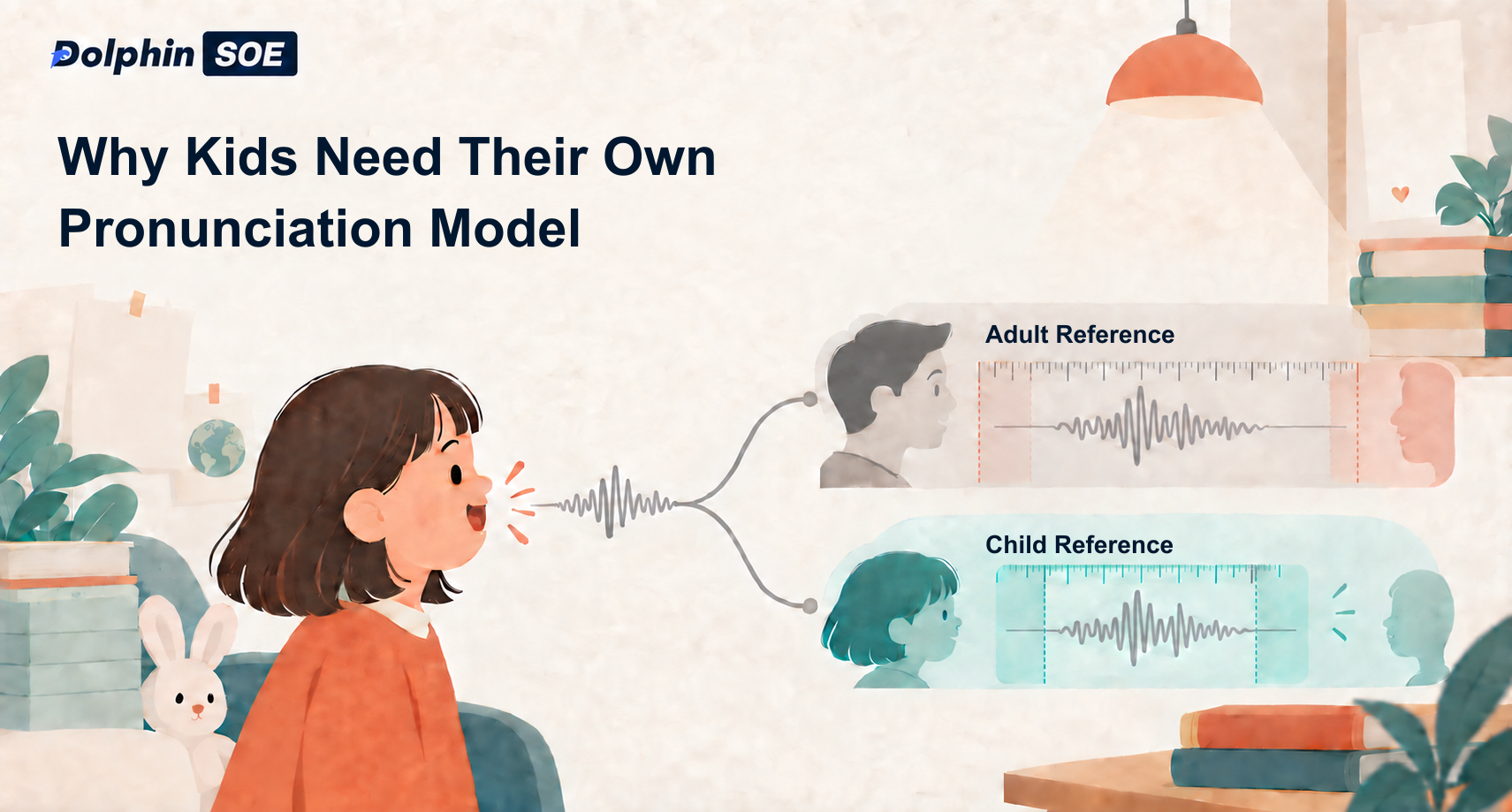
Why Children Need a Dedicated Kids Model for English Pronunciation Assessment
Explore why children need a dedicated English Pronunciation Assessment model, how DolphinSOE Kids models calibrate scores, and how to switch task modes.

Nearly All 26,000 Patient Visit Records Contained Fabricated Content: The Structural Risks of Whisper Hallucinations and Business Countermeasures
Why does Whisper fabricate entire sentences during silence? Drawing on the AP investigation and Cornell University research, this article explains hallucinations in LLM decoders, their cost in four business settings, why post-processing cannot solve them, and a practical silence-testing checklist.